How I Learned AI Engineering Using an AI Workspace (And Why I'll Never Go Back)
If you’ve decided to learn AI engineering recently, I know exactly how you feel right now.
You probably started with a simple Google search or watched a YouTube video titled something like "How to Build an AI App in 10 Minutes." You felt inspired. You thought, I can do this.
Then, you opened the rabbit hole.
Suddenly, you're hit with a massive wall of technologies, frameworks, and concepts you've never heard of. You realize you need to learn Python. Then someone tells you that you can't do AI without NumPy and Pandas. From there, you fall into the deep end of Machine Learning, Deep Learning, and Neural Networks.
Just when you think you're making progress, the landscape shifts. Now you have to understand LLMs (Large Language Models), Prompt Engineering, Embeddings, and Vector Databases. You’re told you need to master RAG (Retrieval-Augmented Generation) and build autonomous Agents.
Then come the tools and frameworks. Are you using LangChain or LangGraph? Are you deploying with FastAPI and Docker? What about the MCP (Model Context Protocol)? Are you implementing Tool Calling, setting up Guardrails, and running Evals?
It is entirely overwhelming.
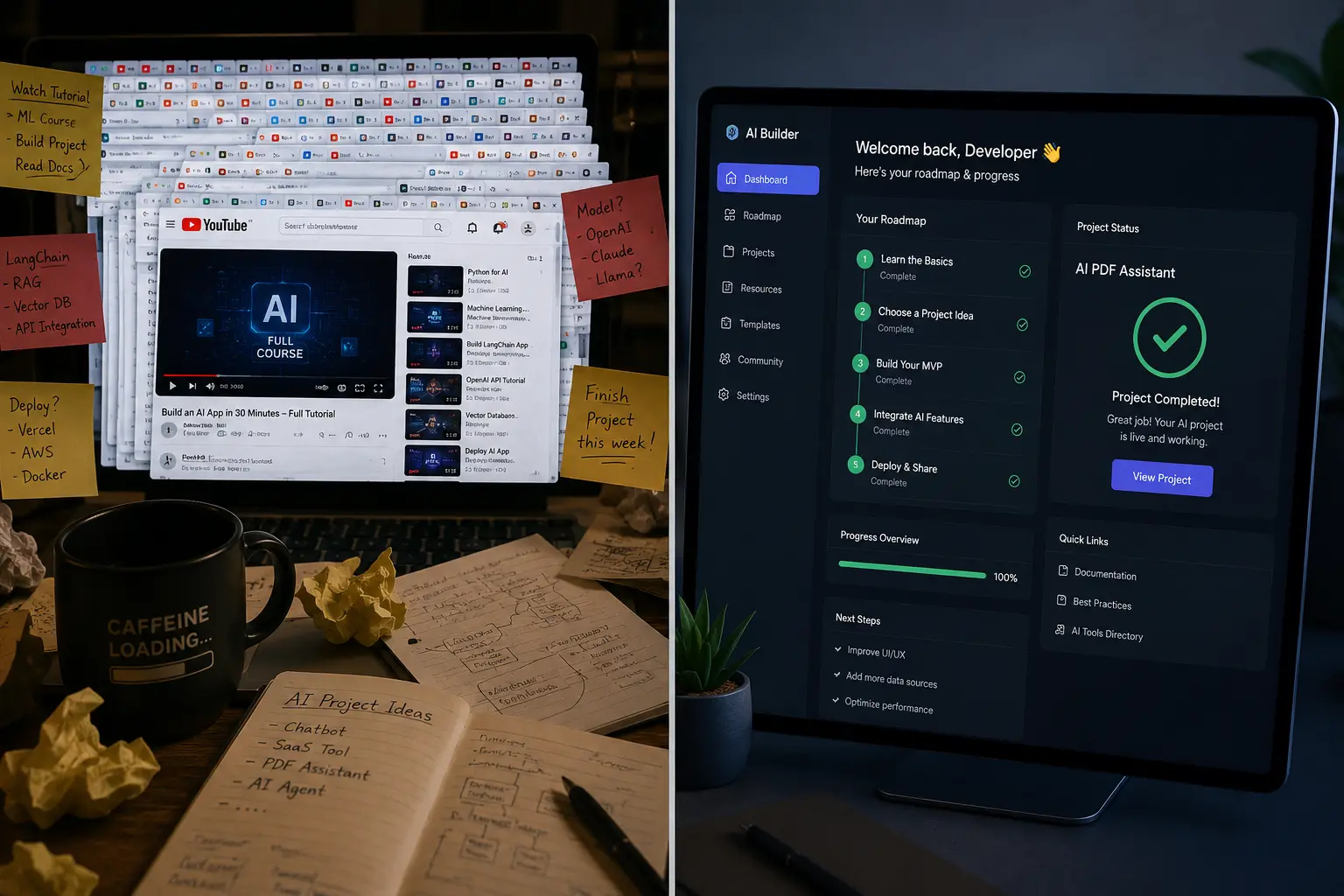
Every YouTube video recommends a different starting point. Every expert on X (formerly Twitter) tells you to use a different framework. Every new bookmark gets lost in a folder you will never open again. Your ChatGPT conversations filled with brilliant explanations just disappear into the sidebar abyss.
Even the best roadmaps become outdated the moment a new model drops.
Learning becomes chaotic. You aren't actually learning AI engineering—you're just hoarding information. I know this because I did exactly the same thing.
But eventually, I found a way out of the chaos. I realized that my problem wasn't a lack of information; it was the lack of a system. I needed an AI workspace.
In this article, I want to share my personal AI engineering learning roadmap, the mistakes I made, and how building a dedicated learning workspace completely transformed my journey. If you want to actually learn AI engineering instead of just watching videos about it, this guide is for you.
The Problem: Why Learning AI Feels Impossible#
Before we talk about the solution, we have to talk about the mistakes. If you are struggling to make progress on your AI engineering roadmap, you are likely falling into one of these common traps. I hit every single one of them.
Watching Random YouTube Videos#
YouTube is incredible for inspiration, but it is terrible for structured learning. I used to spend hours watching people build amazing AI apps. I would copy their code, run it on my machine, and feel a false sense of accomplishment. But when I closed the video and tried to build something from scratch, my mind went blank. I had learned how to type, but I hadn't learned how to think like an AI engineer.
Saving Hundreds of Bookmarks#
My browser was a graveyard of good intentions. I had a folder called "Learn AI" that contained over 200 links to articles, GitHub repos, and documentation pages. I thought that by saving the link, I was somehow saving the knowledge. The reality? I never went back to read 95% of them.
Keeping Notes in Multiple Places#
When I actually took the time to study, my notes were scattered everywhere. I had some code snippets in VS Code, some definitions in Apple Notes, a random Google Doc with API keys, and a physical notebook with messy diagrams of neural networks. When I needed to remember how to chunk text for a vector database, I couldn't find my notes.
Opening Dozens of ChatGPT Chats#
Whenever I got stuck, I would ask ChatGPT. It was a great tutor! But I treated it like a disposable search engine. I would have a brilliant conversation explaining the math behind embeddings, and then I would close the tab. Three weeks later, I would forget the concept and have to ask the exact same questions all over again.
Never Building Projects#
This is the biggest killer of any AI engineer study plan. I was terrified of building my own projects because I felt like I didn't know enough yet. I thought, "Once I finish this tutorial, then I'll build something." But there is always another tutorial.
Forgetting What Was Learned#
Without a system to review and practice, the knowledge leaked out of my brain just as fast as it went in. I would spend a week learning LangChain, take a few days off, and completely forget the syntax for creating a basic chain.
Jumping Between Tutorials and Having No Roadmap#
I suffered from shiny object syndrome. One day I was learning Python basics. The next day I saw a cool video about AI Agents, so I dropped Python and tried to build an agent. I had no structured learn AI engineering plan. I was just wandering around in the dark.
What Changed: The Shift to an AI Workspace#
I realized I couldn't keep going like this. I wasn't an AI engineer; I was a professional tutorial watcher.
I needed to stop collecting information and start building a system.
Instead of saving random links and writing disconnected notes, I decided to build a centralized AI learning workspace. This wasn't just a folder on my desktop. It was a complete operating system for my brain.
The core philosophy of the workspace was simple: Every single topic must have a home, and every home must have a purpose.
Instead of just dumping links into a folder, every topic in my workspace required specific elements:
- Learning Goal: What exactly am I trying to achieve with this topic? (e.g., "Understand how to convert text into vector embeddings and store them.")
- Resources: The curated list of videos, articles, and documentation I actually intend to use. Not 50 links. Just the top 3 best ones.
- Practice Project: A tiny, achievable project to prove I understand the concept.
- Notes: My own personal explanations of the topic, written in my own words.
- Code Snippets: Reusable blocks of code that I know work.
- Questions: Things I still don't understand that I need to research later.
- Progress: A simple status tracker (Not Started, In Progress, Mastered).
- Next Milestone: What topic logically comes next after this one?
This created massive clarity. When I sat down at my computer, I didn't have to think, "What should I do today?" I just opened my workspace, looked at my current topic, and started working. The decision fatigue was gone.
The Example Workspace: Organizing the Chaos#
So, what does this actually look like?
If you want a solid AI engineering roadmap 2026, your workspace needs to reflect the modern tech stack. Here is the exact folder structure I used to organize my AI learning system:
AI Engineering ├── Python (The foundational language of AI) ├── Machine Learning (Scikit-learn, regressions, classifications) ├── Deep Learning (PyTorch, neural networks basics) ├── LLM Fundamentals (Transformers, attention mechanisms, parameters) ├── Prompt Engineering (Few-shot, chain-of-thought, system prompts) ├── Embeddings (Text-to-numbers, cosine similarity) ├── Vector Databases (Pinecone, ChromaDB, Qdrant) ├── RAG (Retrieval-Augmented Generation, chunking strategies) ├── AI Agents (ReAct framework, autonomous loops) ├── LangChain (Chains, retrievers, memory) ├── LangGraph (Stateful multi-actor applications) ├── FastAPI (Building APIs for your AI models) ├── Docker (Containerizing your AI applications) ├── MCP (Model Context Protocol for connecting models to data) ├── Projects (The most important folder: my actual builds) ├── Interview Preparation (System design, common questions) └── Resources (Global cheat sheets, API key management)
This structure is powerful, but the real magic is what happens inside those folders.
Let's look inside the RAG folder as an example. Instead of a messy dump of files, the RAG folder contains:
Notes.md: My personal explanations of naïve RAG vs. advanced RAG.Tasks.md: A checklist (e.g., [x] Learn chunking, [ ] Learn re-ranking).Videos/: Links to two specific YouTube videos explaining the math.GitHub_Repos/: A curated list of reference architectures.Practice_Ideas.md: "Build a RAG system over my own PDF resume."Prompt_Templates.md: The exact system prompts I use to format retrieved context.Progress_Tracker: A visual indicator showing I am 60% done with this module.
This AI study workspace meant I never lost a piece of information again. More importantly, it forced me to engage actively with the material.
The Weekly Workflow: How to Actually Make Progress#
Having a workspace is only half the battle. The other half is the workflow.
You can have the best RAG roadmap in the world, but if your learning habits are random, you will fail. I realized I needed a predictable, repeatable weekly routine.
I designed a weekly learning workflow that forced me to balance studying theory with actually writing code. Here is the system I used to grind through my roadmap:
Monday: Study#
Monday was for consumption. This was the day I allowed myself to watch YouTube videos, read documentation, and browse articles. But I wasn't just watching passively. I had my workspace open, taking notes, summarizing concepts, and trying to break down complex ideas into simple terms. If I was learning about Vector Databases, Monday was for understanding how they work.
Tuesday: Practice#
Tuesday was for throwing away the tutorials and opening a blank code editor. This was about micro-practice. I wasn't trying to build a full app. I was just trying to write a 10-line Python script that created an embedding and saved it. It was about muscle memory. I would make mistakes, read error logs, and figure it out.
Wednesday: Build#
Wednesday was project day. This is where I connected the micro-practices from Tuesday into something larger. If I learned embeddings and vector DBs, Wednesday was the day I built a simple CLI tool that let me search through a text document using natural language. No tutorials allowed. Just me, the documentation, and my workspace notes.
Thursday: Review#
By Thursday, my brain was usually fried. So, this day was for review and refinement. I would look at the code I wrote on Wednesday. Why was it messy? How could I optimize it? I would use this day to clean up my code snippets, update my notes with new things I learned, and solidify my understanding.
Friday: Mini Project#
Friday was for pushing boundaries. I would take what I built on Wednesday and try to add one feature that wasn't in any tutorial. If I built a RAG system, could I add a feature that cites the source document? This forced me to think like an engineer, solving problems that didn't have a step-by-step guide on YouTube.
Saturday: Document Learning#
Saturday morning was for administration. I would clean up my workspace. I would move my "In Progress" tags to "Mastered." I would take my messy notes and rewrite them cleanly. This process of documenting my learning was arguably the most important step for long-term retention.
Sunday: Plan Next Week#
Sunday evening, I spent 15 minutes planning. I looked at my overarching AI projects roadmap and decided what folder I was moving to next. I found the 3 resources I needed, wrote down my learning goal, and prepared my workspace so that when Monday came, I could just hit the ground running.
This weekly workflow saved my life. It removed the guilt of "not doing enough" because I knew exactly what I was supposed to be doing every single day.
Why AI Makes This Better: Automating the Setup#
Now, I will be honest with you: setting up that workspace manually took a lot of time.
Creating the folders, structuring the notes, writing the checklists, finding the resources, and mapping out the milestones took hours of planning before I even wrote a single line of Python.
For a long time, I just accepted this as the cost of being organized.
But then I had a realization. We are learning Artificial Intelligence. Why are we manually creating folders, copying links, and writing daily checklists like it’s 2010?
Instead of manually creating a system, an AI can generate the entire workspace for you.
When you use AI to generate your learning environment, the friction disappears. An AI-powered workspace can instantly generate:
- A personalized learning roadmap based on your current skill level.
- The entire folder structure and file hierarchy.
- Weekly plans mapped to your specific goals.
- Custom project ideas that fit your interests.
- A spaced-repetition revision schedule.
- Mock interview questions tailored to the topics you just learned.
- Curated resource suggestions (so you don't have to search YouTube).
- Daily practice exercises.
You don't have to spend hours acting as your own project manager. You can just be the student.
A Real Example: The 6-Month AI Engineer#
Let me give you a concrete example of how powerful this is.
Imagine you are starting today. You have some basic programming knowledge, but you are completely new to AI.
If you do this manually, you will spend your first week just trying to figure out what "LangChain" is and whether you need to learn it before or after "RAG."
But with an AI-generated workspace, you simply enter a prompt: "I want to become an AI Engineer in 6 months. I know basic Python, but nothing about machine learning or LLMs. Build my workspace."
In seconds, the system automatically creates your entire life for the next six months.
It generates a Roadmap that starts with Python fundamentals, moves to basic API calls with OpenAI, transitions into Vector Databases, and culminates in building multi-agent systems.
It generates Projects. It doesn't just tell you to "build an app." It creates a specific brief: "Month 2 Project: Build a customer support chatbot that reads from a company FAQ PDF using Pinecone and LangChain."
It determines your Learning Order, ensuring you don't try to learn Agents before you understand Prompt Engineering.
It curates Resources, linking you to the official documentation and the most highly-rated, up-to-date tutorials.
It creates Weekly Milestones and a Daily Checklist so you know exactly what you need to accomplish every single morning.
This level of automation saves hundreds of hours. It prevents you from going down the wrong path, learning outdated tech, or getting stuck in tutorial hell. You just sit down, open your daily checklist, and learn.
Lessons Learned on the Path to AI Engineering#
Looking back on my journey, shifting from chaotic tutorial-watching to a structured workspace taught me a few critical lessons about learning complex technical skills.
Consistency Beats Intensity#
You cannot learn AI engineering by pulling three all-nighters in a row and then taking two weeks off. The field moves too fast, and the concepts are too complex. Working for 60 minutes a day inside a highly organized workspace is infinitely more effective than a disorganized 10-hour weekend binge.
Projects Matter More Than Videos#
Nobody cares how many YouTube tutorials you have watched. Employers, clients, and collaborators only care about what you can build. Your workspace must prioritize projects. If you spend 80% of your time watching and 20% building, you have it backward.
Organization Matters More Than Motivation#
Motivation is a myth. You will not feel motivated to learn about the math behind cosine similarity on a rainy Tuesday evening after a long day at work. But if your workspace tells you exactly what to read, provides the link, and gives you a simple 10-minute task, you don't need motivation. You just need discipline. A good system removes decision fatigue.
Stop Trying to Learn Everything#
You don't need to know every single framework. You don't need to master both LangChain and LlamaIndex on day one. You don't need to know the intimate architecture of every single open-source model on Hugging Face. Build a roadmap, stick to the fundamentals, and ignore the noise on Twitter.
Introduce FindUrAI: Your Automated Learning Workspace#
This realization—that the system matters more than the tutorials—is the exact workflow that inspired FindUrAI.
I realized that thousands of people were struggling with the exact same overwhelm I faced. They were drowning in bookmarks, losing track of their ChatGPT conversations, and failing to finish their roadmaps.
I wanted to build a tool that took the pain out of planning, so you could focus 100% of your energy on learning.
FindUrAI helps generate AI workspaces for learning any skill.
It doesn't just give you a list of links. It generates a comprehensive, interactive workspace tailored to your specific goals.
Whether your goal is to:
- Learn AI Engineering from scratch
- Learn Android App Development
- Build a SaaS product
- Launch a Startup
- Prepare for Technical Interviews
- Master System Design
FindUrAI takes your prompt and builds the folder structure, the weekly plans, the daily tasks, the project ideas, and the resource lists. It acts as your personal curriculum developer and project manager.
The workspace organizes everything automatically so you spend more time learning, building, and practicing, and significantly less time planning and feeling overwhelmed.
If you are tired of the bookmark graveyard and want a system that actually holds you accountable, this is what FindUrAI was built to do.
Conclusion#
Learning AI engineering today is no longer about finding more resources. There has never been a time in human history with more free, high-quality educational content available at our fingertips.
The bottleneck isn't information. The bottleneck is organization, execution, and consistency.
It is about building a system that helps you consistently learn, practice, and build.
That is ultimately what separates the people who finish their roadmaps and land incredible jobs from those who endlessly collect tutorials and never write a line of code.
Stop hoarding links. Stop watching videos passively. Build a workspace, trust the system, and start building. You’ll never go back to the old way of learning again.
FAQs#
How long does it take to learn AI Engineering?#
The timeline depends heavily on your starting point. If you already know Python and software engineering principles, you can grasp the core concepts of AI engineering (APIs, RAG, simple agents) in 2 to 3 months of consistent study. If you are starting from zero programming experience, a realistic timeline is 6 to 9 months. The key is to focus on practical application rather than trying to learn all the underlying math of deep learning immediately.
What should I learn first?#
Before touching any AI frameworks, you must learn Python. It is the undisputed language of AI. Once you are comfortable with Python, move on to understanding how to interact with LLMs via APIs (like the OpenAI API). From there, learn Prompt Engineering, then Embeddings, and then RAG. Do not jump straight into complex frameworks like LangGraph until you understand the basics of making an API call.
Do I need a degree to become an AI Engineer?#
No. While a computer science degree is helpful, the AI engineering field is currently highly portfolio-driven. Companies want to see that you can build functional, scalable AI applications. If you can build a robust full-stack AI app with RAG, vector databases, and agentic workflows, and you can explain your architecture clearly, you can get hired without a formal degree.
How do I organize AI learning?#
The best way to organize your learning is by using a structured workspace (like FindUrAI) rather than scattered bookmarks and notes. Break your learning into foundational pillars (Python, APIs, RAG, Agents) and ensure every topic has a dedicated space for notes, resources, and practice projects. Adopt a weekly workflow that balances consumption (watching/reading) with creation (writing code).
What AI projects should beginners build?#
Avoid generic projects like "a chatbot that talks like a pirate." Instead, build practical tools that solve real problems.
- Document Q&A: Build a script that lets you upload a PDF and ask questions about it using LangChain and a vector database.
- Automated Summarizer: Build a tool that monitors an RSS feed or YouTube channel, transcribes the content, summarizes it, and emails you the summary.
- Simple Agent: Build a basic agent that can search the web to answer a question and save the result to a text file using tool calling.
Internal Link Suggestions for the Blog Publisher: